Every way dscan reclaims space
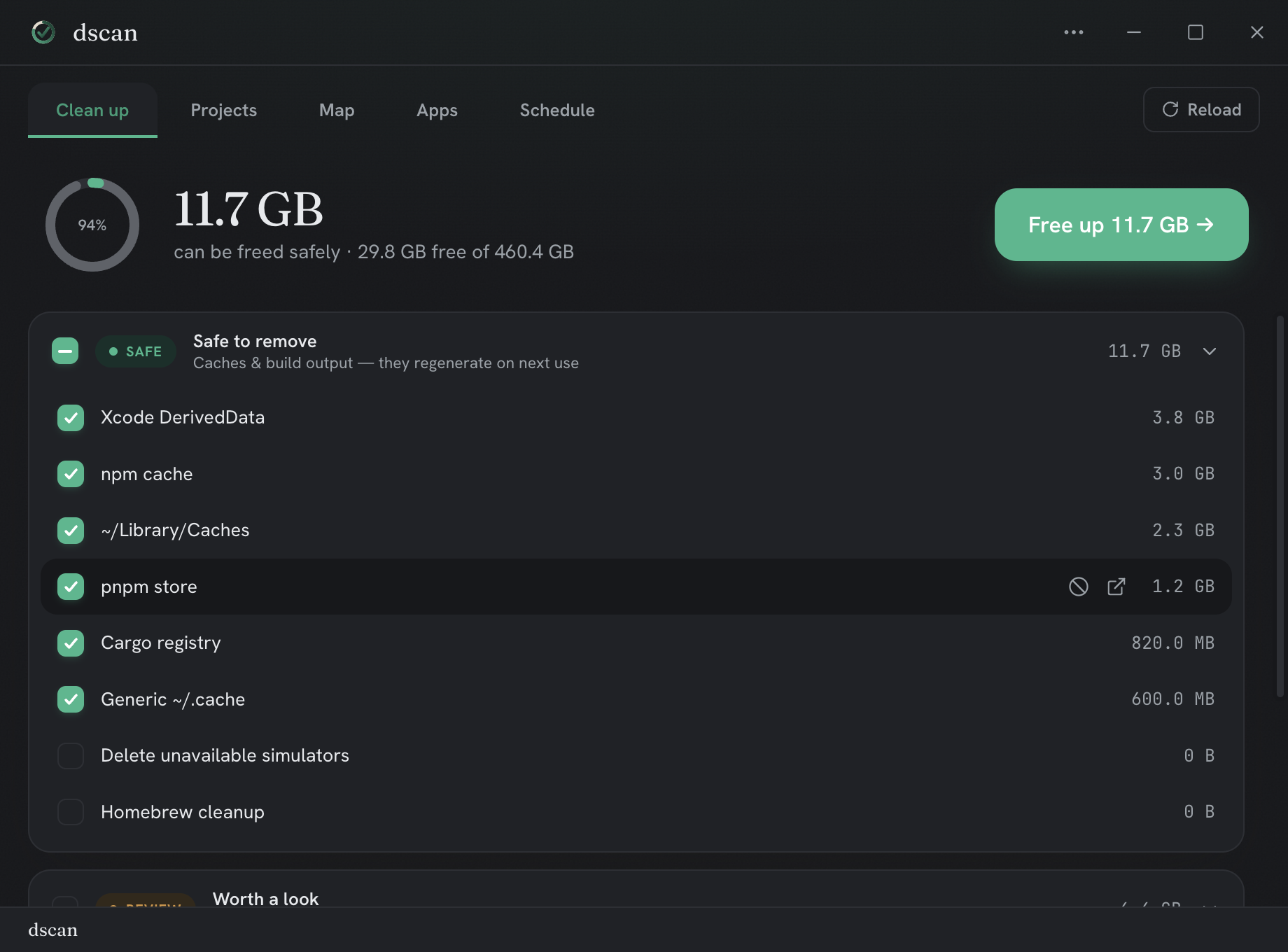
01 — cleanup
Clean up
Caches and build output plus your largest files, grouped by safety tier. Clean the pre-selected SAFE items in one click.
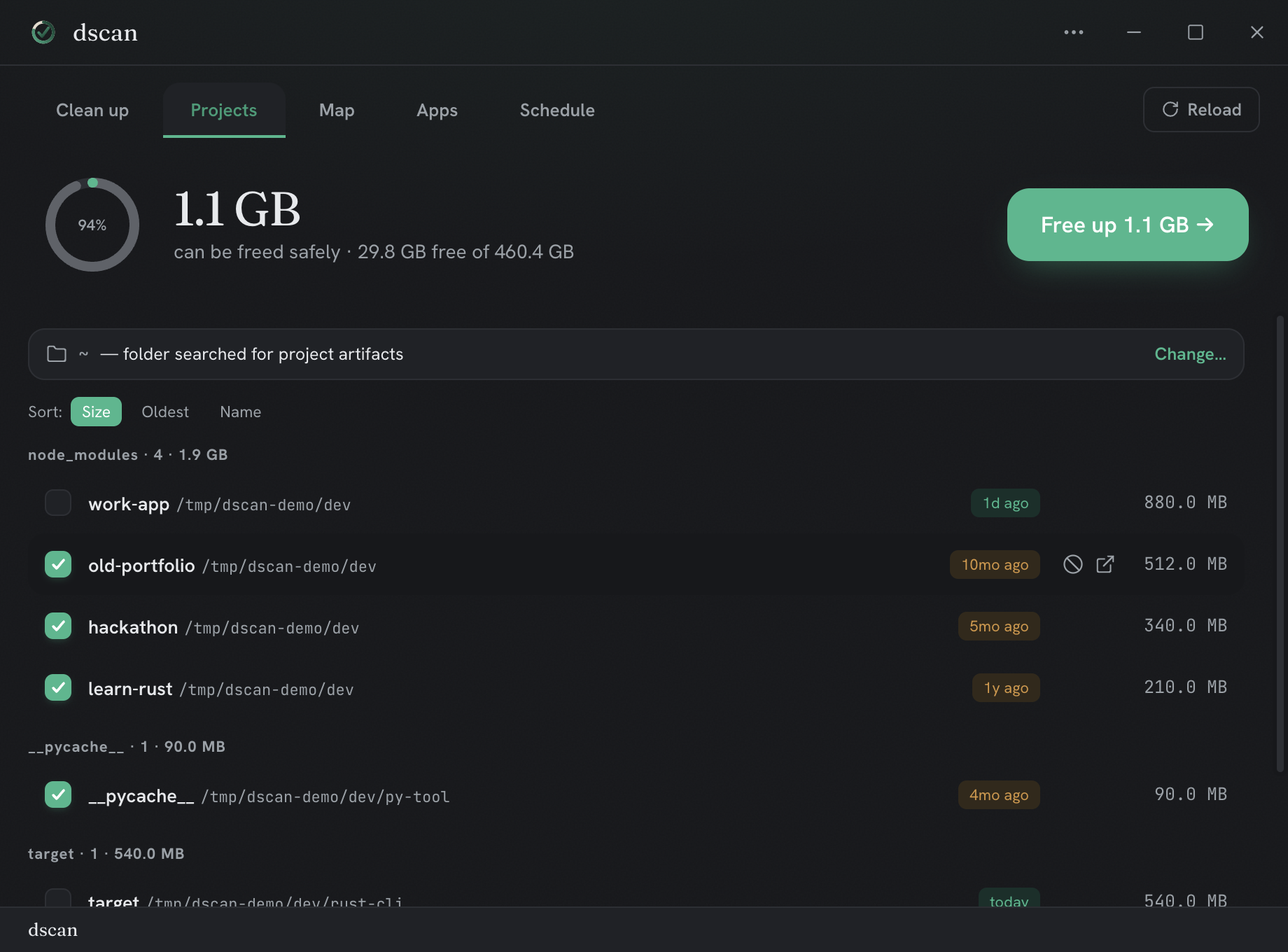
02 — projects
Projects
Find and clear heavy build artifacts — node_modules, .next, target, __pycache__ — across a folder, grouped by kind.
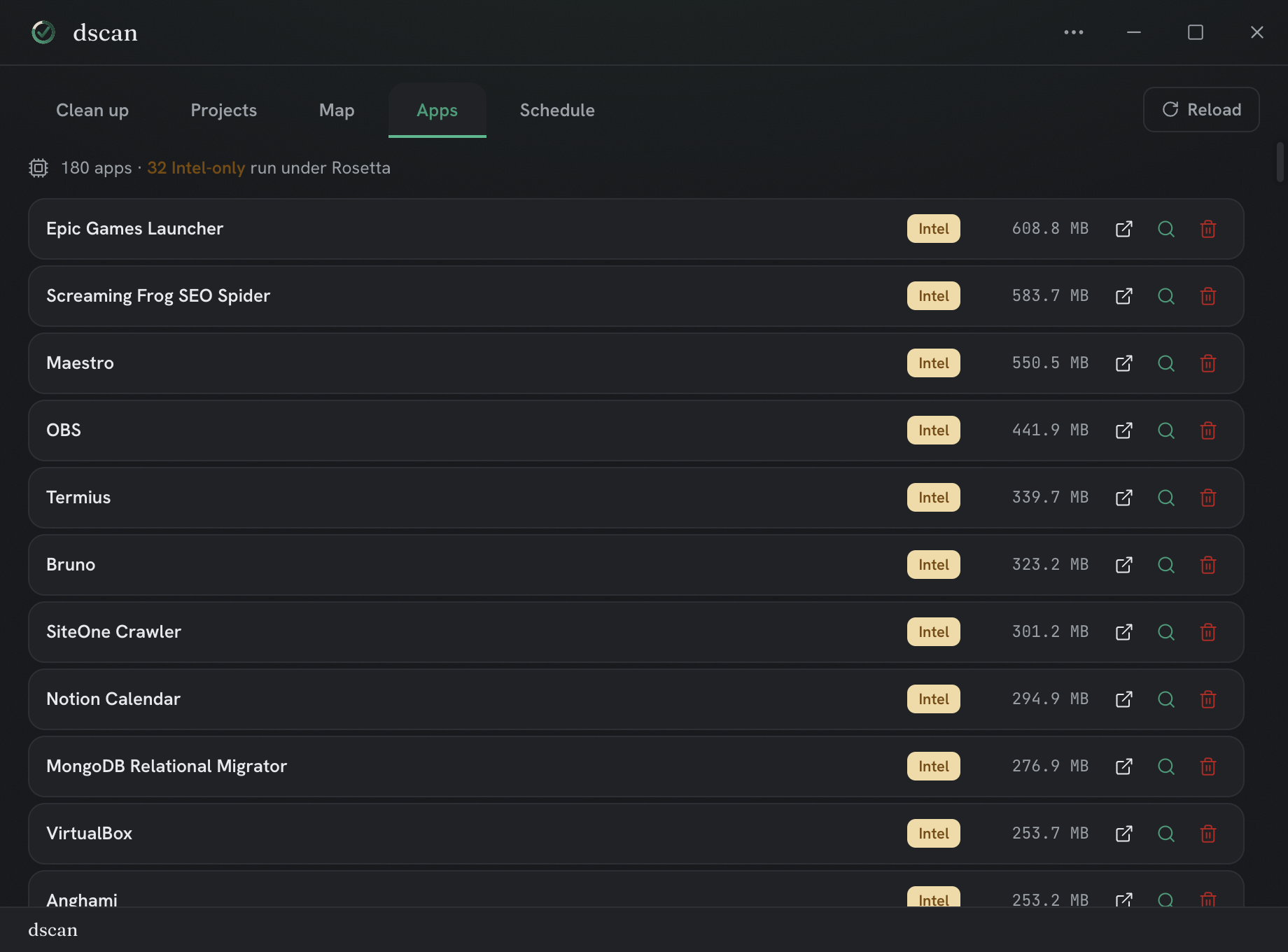
03 — apps
Apps
See which installed apps are unused, oversized, or still running under Rosetta on Apple Silicon — with an honest picture of what is actually taking up space.
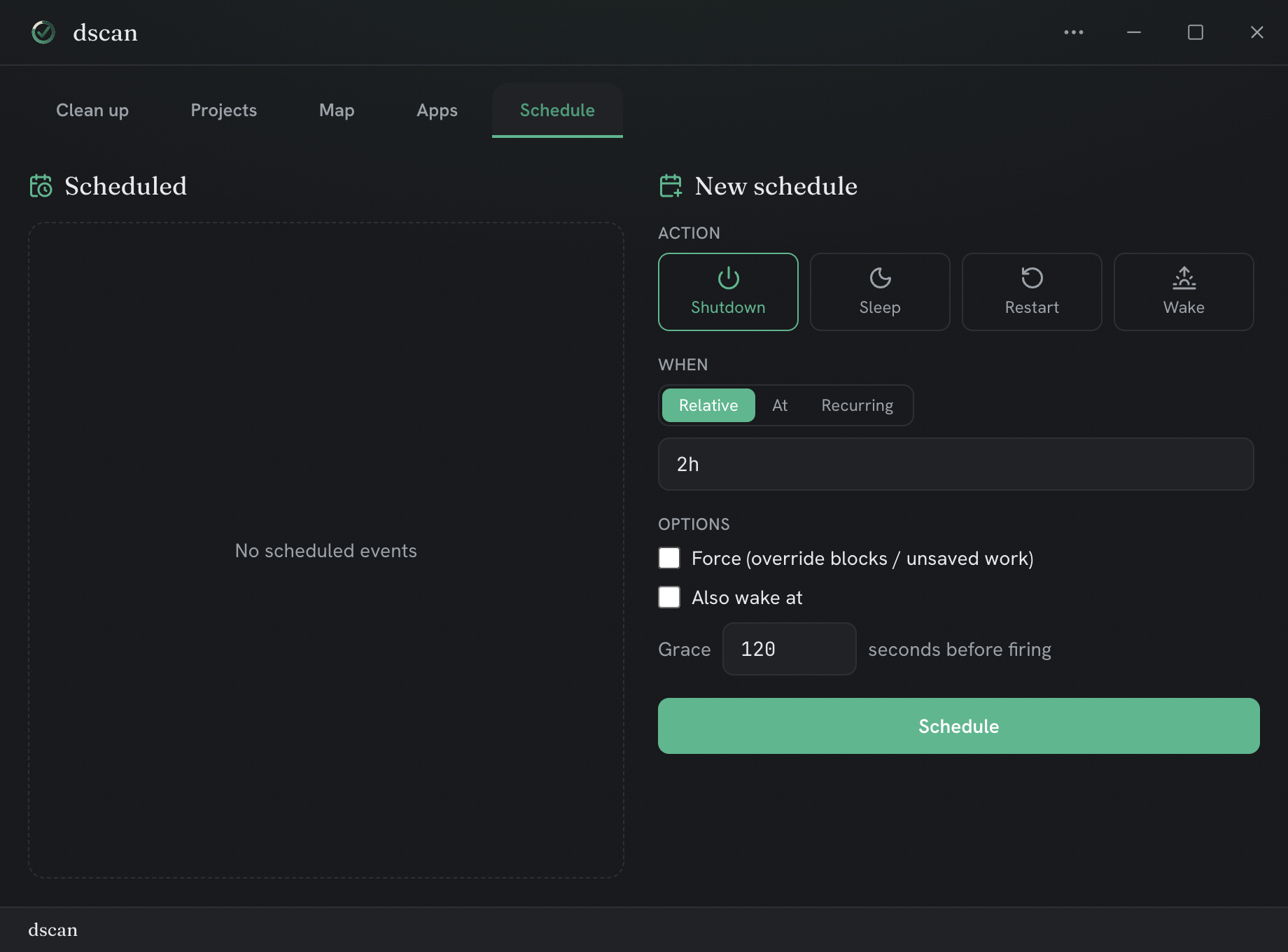
04 — schedule
Schedule
Set it and forget it — schedule recurring scans so caches never pile back up.